A hacked WordPress website is not always obvious.
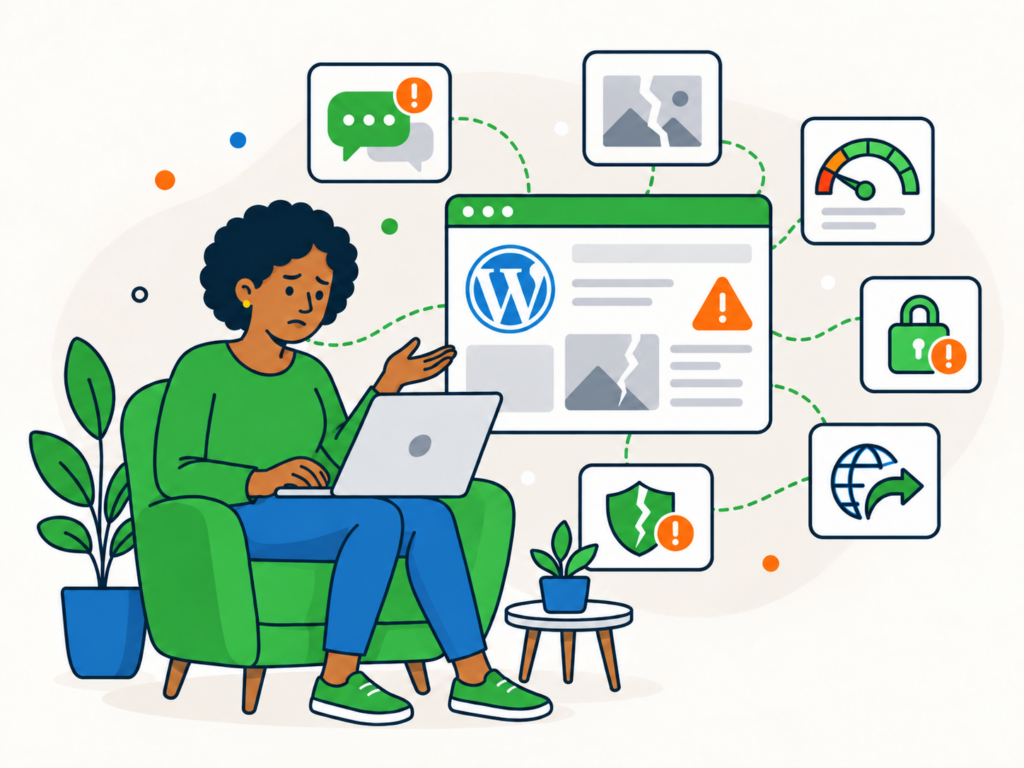
Sometimes the signs are difficult to miss. Visitors may be redirected to another website, strange pages may appear in Google, or your browser may display a security warning.
Other compromises are deliberately harder to notice. The website might look completely normal to you while showing malicious content to other visitors, creating hidden spam pages or giving an unknown user administrator access.
That is why it is better to think in terms of warning signs rather than assuming one symptom proves your website has been hacked.
Here are ten signs that should give you a reason to investigate further.
1. Visitors are redirected somewhere they should not be
Unexpected redirects are one of the clearest signs that something may be wrong.
A visitor might click through to your website and suddenly be sent to:
- a spam website
- an online shop you have no connection with
- a fake security warning
- an adult or gambling website
- a suspicious download
- another page designed to trick them into entering information
The difficult part is that malicious redirects are not always shown to everyone.
An infected website might behave differently depending on whether somebody is logged in, which device they are using, where they came from or whether they have visited before.
You could therefore open the website yourself and see nothing unusual while customers continue to report being redirected elsewhere.
If somebody reports a redirect you cannot reproduce, do not dismiss it simply because the site looks normal from your computer.
2. Unexpected popups, adverts or downloads appear
Popups and adverts are not automatically evidence of malware. Plenty of legitimate websites use them.
The warning sign is something appearing that nobody responsible for the website intentionally added.
You might see:
- unfamiliar advertising
- fake virus or security alerts
- unusual overlays
- browser notification prompts
- download requests
- scripts opening new windows or tabs
- content that appears briefly before disappearing
Unexpected downloads deserve particular attention, especially if visitors are being encouraged to install software that has nothing to do with your website.
The same applies when a popup or advert only appears occasionally. Malicious code may deliberately avoid displaying itself on every visit to make the problem harder for the website owner to spot.
3. Pages, posts or links appear that you did not create
A compromised WordPress site may be used to publish content without your permission.
Sometimes this is obvious. You might find new pages or posts in WordPress that nobody on your team created.
Other times, the unwanted content is hidden from the normal website navigation and only becomes apparent when you look at search results or receive a report from somebody else.
Signs can include:
- spam pages
- unfamiliar product or service pages
- pages written in another language
- unexpected links added to existing content
- strange page titles or descriptions appearing in Google
- malicious downloads
- content promoting unrelated products
- changes to existing pages that nobody authorised
Attackers sometimes create large numbers of pages specifically to take advantage of an established website’s search visibility.
If Google is showing URLs or content that you cannot account for, investigate where those pages are coming from rather than simply deleting individual search results.
4. Unknown administrator accounts or user changes appear
WordPress users are another important place to look for unexpected activity.
A new administrator account that nobody recognises is a serious warning sign.
You may also notice:
- an unfamiliar email address attached to a user
- an existing user suddenly having administrator access
- your own account details being changed
- users appearing that nobody remembers creating
- an administrator account disappearing
- unexpected password or email changes
Not every unfamiliar user means the website has been hacked. A developer, agency or previous member of staff may have created an account legitimately.
The important question is whether you can account for it.
Administrator accounts have extensive control over WordPress, so unexplained changes at this level should be taken seriously.
5. You cannot log in or familiar account details have changed
Being unable to log into WordPress can have many innocent explanations.
You may have forgotten a password, entered the wrong username, encountered an email problem or been locked out by a security feature.
However, login trouble becomes more suspicious when account information appears to have changed without your permission.
For example:
- your normal password suddenly stops working
- password-reset emails go to an address you do not recognise
- your username or email address has changed
- your administrator role has been removed
- an account you regularly use no longer exists
If several administrators lose access unexpectedly, or account details change without an obvious explanation, that is a stronger reason to suspect unauthorised access.
Avoid assuming that resetting a password alone resolves the underlying problem. If somebody gained enough access to alter administrator accounts, you still need to establish what happened.
6. Google, your browser or another security service warns about the site
Sometimes the first person to spot a security problem is not the website owner.
Google, a web browser, your hosting company or another security service may detect suspicious behaviour and warn you about it.
You might encounter:
- a browser warning before the website loads
- a message saying the site may be harmful
- a warning associated with a Google search result
- a security notification in Google Search Console
- a malware alert from your host
- a notification from a website security service
Google Search Console’s Security Issues report can identify problems including hacked content, malware or unwanted software, and social engineering.
These warnings are particularly useful because they may reveal behaviour you have not noticed yourself.
At the same time, the absence of a warning does not prove your website is safe.
Automated systems cannot identify every compromise immediately, and some malicious activity is intentionally designed to remain hidden.
7. Files, plugins, themes or settings change unexpectedly
Not every malicious change is visible on the front end of the website.
You may notice unusual activity inside WordPress or within the site’s files instead.
Examples include:
- a plugin appearing that nobody installed
- a legitimate plugin being disabled unexpectedly
- unfamiliar files appearing in WordPress directories
- theme or plugin files being changed
- security settings being altered
- scheduled tasks appearing without explanation
- configuration settings changing
- code appearing in places where it should not be
There can be legitimate reasons for files to change. WordPress updates, plugin updates, deployments and maintenance work all modify files.
The important distinction is whether the change is expected and can be explained.
A file modification that coincides with an update is very different from unfamiliar PHP files appearing alongside unexpected redirects and a new administrator account.
Look at suspicious changes in context rather than assuming every modified file is malicious.
8. Your hosting or security provider reports suspicious activity
Your hosting company may be able to see activity that is not obvious from inside WordPress.
Depending on the service, you might receive a warning about:
- malicious files
- unusual processes
- outbound spam
- suspicious network activity
- excessive resource use
- phishing content
- website abuse
- malware detection
- account suspension
A hosting suspension can sometimes be the first indication that a website has been compromised.
Do not assume that getting the site unsuspended means the underlying problem has been resolved.
If the host identifies malicious activity, find out what was detected and why. The information they provide can become an important part of diagnosing the incident.
9. Email, server resources or traffic behave unusually
A compromised website can sometimes produce less direct symptoms.
You might notice:
- emails suddenly bouncing or going to spam
- spam being sent that appears to come from your website or server
- unexplained increases in bandwidth
- unusual traffic patterns
- sudden CPU or memory usage
- repeated server instability
- hosting limits being reached without an obvious reason
These are useful clues, but they need to be treated carefully.
All of them can happen on a website that has not been hacked.
A marketing campaign might cause a legitimate traffic spike. A poorly behaving plugin can consume server resources. Email authentication problems can affect deliverability. Hosting issues can make a perfectly clean site unstable.
These symptoms become much more meaningful when they appear alongside other unexplained changes.
For example, an unexpected resource spike at the same time as unfamiliar files and redirects is more concerning than high CPU usage on its own.
10. Other visitors see behaviour that you cannot reproduce
One of the most frustrating signs of a compromised website is when somebody reports a problem that you simply cannot see.
A customer may tell you that the website redirects them elsewhere, displays a strange advert or shows completely different content.
You visit the same page and everything looks normal.
That does not necessarily mean their report is wrong.
Malicious code can be designed to behave differently depending on factors such as:
- whether the visitor is logged into WordPress
- the visitor’s device
- their browser
- their location
- their IP address
- whether they came from a search engine
- whether they have visited the site before
Attackers have a reason to hide malicious behaviour from website owners and administrators. The longer a compromise remains unnoticed, the longer they may be able to use the website.
If several genuine visitors report the same unusual behaviour, take it seriously even if you cannot immediately reproduce it yourself.
One sign does not always mean your website has been hacked
It is important not to treat every WordPress problem as a security incident.
Many symptoms have perfectly ordinary explanations.
A slow or crashing website might have a performance problem.
Bounced emails might be caused by DNS or deliverability configuration.
A traffic spike might be legitimate.
A failed login might simply be a forgotten password.
A plugin might have disappeared because another administrator removed it.
The context matters.
The strongest reasons for concern are usually things that clearly should not have happened, such as unauthorised administrator accounts, injected content, malicious redirects, unexpected file changes or confirmed security warnings.
Multiple unexplained symptoms appearing together also make compromise more likely.
The aim is not to panic at the first unusual event. It is to recognise when something deserves proper investigation.
Can a WordPress site be hacked without obvious signs?
Yes.
Not every attacker wants to deface a website or announce that they have gained access.
A compromised website can continue to look normal while being used for other purposes in the background.
For example, an attacker may try to:
- create hidden spam pages
- inject links into existing content
- redirect only certain visitors
- maintain unauthorised access for later use
- abuse the server to send spam
- place malicious code that is not immediately visible
This is why looking at the homepage and deciding that everything appears normal is not enough to establish that a website is clean.
Visible symptoms are useful indicators, but confirming whether a site has been compromised may require a more thorough investigation.
What should you do if you notice these signs?
Start by recording what you have observed.
If your browser or another security service is actively warning that a page may be dangerous, do not keep clicking through the warning simply to gather more evidence.
Useful details include:
- what happened
- which page was affected
- when it happened
- who saw it
- which device or browser they were using
- whether the behaviour can be reproduced
- any warnings or screenshots you received
- any recent changes made to the website
This gives you something concrete to investigate and can be particularly useful if the suspicious behaviour only appears occasionally.
Check any relevant messages from your hosting provider, security services and Google Search Console as well.
Avoid making large numbers of unrelated changes simply because you suspect a hack. If you immediately delete files, reinstall plugins and change settings without understanding the problem, you can make it harder to work out what happened.
The next step is to investigate whether the warning signs are actually the result of a compromise and, if they are, determine the extent of the problem.
Need help with a hacked WordPress site?
If you are seeing suspicious redirects, unexpected users, malware warnings, injected content or other signs of compromise, you do not have to investigate and clean the site yourself.
Our WordPress Malware Removal service is designed for WordPress websites that have already been hacked or infected.
We can investigate the problem, remove malicious content and help restore the website to normal operation.
Once the immediate incident has been dealt with properly, you can then focus on strengthening the website and reducing the chance of the same problem happening again.