
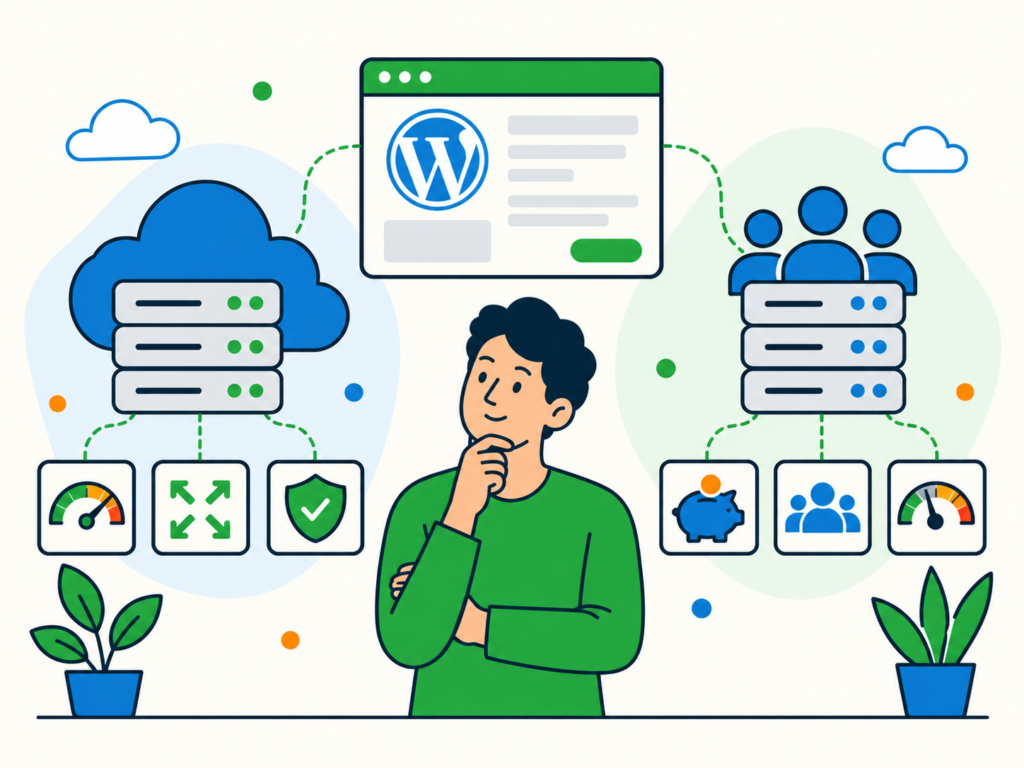
Choosing hosting for your WordPress website can be confusing when providers use terms such as shared, cloud, managed and high availability to describe their plans.
Shared hosting is often presented as the straightforward, lower-cost option, while cloud hosting is marketed as more flexible. There can be truth in those descriptions, but neither tells you everything about how a particular service will perform, how secure it is or what happens when something breaks.
A cloud server can still experience an outage. A well-managed shared hosting plan can still provide a dependable home for a business website.
The useful question is not simply which label sounds better. It is what resources, reliability features, support and responsibilities you get with each plan.
This guide explains how cloud hosting and shared hosting differ, what those differences mean for WordPress and how to compare your options without relying on marketing claims.
What is shared hosting?
Shared hosting places multiple websites or customers on a hosting provider’s server or shared hosting environment.
The provider manages the underlying infrastructure and divides resources such as processing power, memory and storage among its customers.
You generally receive a hosting account with a control panel and a defined set of features rather than full control of the server’s operating system.
Shared hosting can be a practical way to run WordPress because the provider handles much of the server setup. Depending on the plan, it may also provide WordPress installation tools, email hosting, backups or other services.
However, the precise amount of server capacity available to your website may be limited by the provider’s resource policies. Some plans advertise generous storage or traffic allowances but still impose restrictions on CPU usage, memory, database activity or concurrent requests.
Sharing infrastructure does not automatically mean poor performance or weak security. The provider’s isolation controls, server management and approach to allocating resources all matter.
What are the potential advantages of shared hosting?
A straightforward setup. Many providers include a control panel and tools for installing WordPress without configuring a server yourself.
A predictable package price. Shared hosting commonly uses a fixed subscription, although renewal rates and optional services can change the overall cost.
Provider-managed server infrastructure. The host typically maintains the shared server environment, reducing the amount of server administration you need to perform.
An accessible starting point. A properly specified shared plan may have enough resources for a small WordPress website with relatively modest traffic and functionality.
These benefits depend on the plan. Even when the hosting server is managed, responsibility for your WordPress plugins, themes, content and website-specific issues may still sit with you.
What are the potential limitations of shared hosting?
Resource restrictions. Your account may have limits that become noticeable during traffic increases, demanding background tasks or heavy plugin activity.
Less configuration control. You may not be able to change server software, install particular services or adjust settings outside the options your provider exposes.
Dependence on the provider’s isolation and management. Other customers can potentially affect performance if shared resources are not adequately controlled. Security boundaries also depend on the host’s configuration.
A limited upgrade path within the same package. If you outgrow the plan, you may need to move to a different hosting tier or service.
These are reasons to inspect the provider’s terms and technical limits, not reasons to assume every shared hosting plan will fail.
What is cloud hosting?
Cloud hosting uses computing resources provided through a cloud infrastructure platform.
Depending on the product, your WordPress website might run on a virtual server, a managed hosting platform or a service that distributes work across multiple components.
This flexibility is one reason the term cloud hosting appears on very different products.
For example, a single virtual machine hosted by a cloud provider is still one server from your website’s point of view. If that instance, its database or another critical dependency fails, the website may become unavailable until it is recovered.
Another cloud-based hosting service might include multiple application servers, replicated data and automatic failover. Those features can improve resilience, but they must actually be part of the service you purchase.
Cloud infrastructure also uses shared physical resources in many cases. The distinction is not simply that shared hosting has neighbours and cloud hosting does not.
What are the potential advantages of cloud hosting?
Flexible resource options. Depending on the provider, you may be able to change the size of a virtual server or add resources as the website’s requirements change.
Greater configuration choice. Some cloud services provide access to server settings, operating systems and additional infrastructure components.
Options for resilience. Cloud platforms can support multiple servers, load balancing and database replication when these are included and configured appropriately.
A wider range of service models. You may choose an unmanaged cloud server, a managed cloud hosting package or a more complex arrangement operated by a specialist.
These are available possibilities, not features guaranteed by every plan advertised as cloud hosting.
What are the potential limitations of cloud hosting?
Management responsibilities may be greater. Renting a cloud virtual server does not necessarily include operating-system updates, server security, WordPress maintenance or help fixing application problems.
Costs can be harder to predict. Some services charge separately for computing resources, storage, backups, data transfer or additional infrastructure.
More control can introduce complexity. Server access and configurable infrastructure are useful when someone is responsible for maintaining them. Otherwise, they can become an additional operational burden.
Reliability depends on the design. A single cloud instance, database or storage component can still be a point of failure.
You should assess the service as a complete hosting arrangement, not assume the underlying cloud platform automatically provides every available feature.
Cloud hosting vs shared hosting: Side-by-side comparison
The table below describes common differences. An individual hosting plan may provide more or less than these general descriptions suggest.
| What to compare | Shared hosting | Cloud hosting |
|---|---|---|
| Infrastructure | Multiple customer websites use a shared hosting environment. | WordPress runs on cloud resources, which may be a single instance or a more distributed service. |
| Resources | Usually allocated through plan limits and shared resource controls. | Often offers a range of instance sizes or resource options; allocation depends on the product. |
| Scaling | May require a package upgrade or migration. | May allow resizing or additional instances, but automatic scaling is not guaranteed. |
| Reliability | Depends on the host’s infrastructure, maintenance and recovery arrangements. | Depends on whether redundancy, failover and recovery are included and configured. |
| Security | Depends on account isolation, server management and WordPress security. | Depends on infrastructure configuration, access controls, management and WordPress security. |
| Control | Usually limited to the hosting account and available control-panel settings. | Can provide greater server control, or very little if sold as a managed package. |
| Support and maintenance | The provider normally manages the shared server; WordPress coverage varies. | The responsibilities vary substantially between unmanaged and managed services. |
| Pricing | Commonly a package subscription with usage limits and renewal terms. | May use fixed packages or variable resource-based billing with additional charges. |
The table is a starting point. The details of two actual plans matter more than the category names on their sales pages.
Is cloud hosting more reliable than shared hosting?
Not automatically.
Reliability depends on the underlying infrastructure, how the website has been deployed and the recovery arrangements.
A cloud provider may make it possible to distribute a website across several failure-isolated locations. However, a WordPress installation running on one virtual server does not gain automatic failover simply because the server belongs to a cloud platform.
Even a service with several web servers needs to account for other components, including the database, storage, networking and DNS.
Likewise, a shared hosting provider may invest in reliable infrastructure, active monitoring and well-tested recovery procedures.
When comparing plans, ask:
- Is my website dependent on one application server or database?
- What happens if the server or storage fails?
- Is failover automatic, manual or unavailable?
- What uptime commitment, if any, is included in the service agreement?
- How are incidents monitored, reported and resolved?
- How quickly can the website be restored from a backup?
A stated uptime target or service-level agreement is not a promise that downtime cannot happen. Read what it measures, what it excludes and what remedy is offered if the commitment is missed.
For more on detecting availability problems, see our WordPress uptime monitoring guide.
Is cloud hosting faster than shared hosting?
There is no universal answer.
Website speed depends on the resources available to WordPress, the hosting configuration and the work your website needs to perform.
For example, a WordPress site with a demanding plugin, slow database queries or insufficient PHP capacity may be slow on either hosting type.
A properly configured shared hosting plan may perform well for a modest website. A poorly configured cloud server may perform badly, even if it offers more technical control.
When evaluating performance, look beyond broad claims such as “cloud-powered” or “unlimited traffic”.
Ask about:
Processing and memory limits. What resources are available to your account, and what happens if you exceed them?
PHP capacity. Can the hosting environment handle several requests at once, particularly on pages that cannot be served from a cache?
Database performance. Are there restrictions or resource limits that could affect database-heavy operations?
Caching. What page, object or server-level caching is available, and does it suit your website’s functionality?
Server location. Is the website hosted in an appropriate location for your audience?
Performance under realistic use. Has the website been tested with the features and traffic patterns that matter to you?
A cached homepage loading quickly is encouraging, but it does not demonstrate how the server will handle a busy checkout, logged-in users or background tasks.
Is one hosting type more secure?
Neither shared hosting nor cloud hosting is automatically secure simply because of its infrastructure label.
With shared hosting, the provider’s account isolation and management of the shared environment are important.
With cloud hosting, security depends in part on how the cloud resources are configured and who is responsible for maintaining them. An unmanaged virtual server can leave significant security work with its owner.
In both cases, the WordPress website itself still needs attention. Hosting security does not remove the need to update vulnerable plugins, manage administrator access or respond to malware.
When comparing plans, check:
- How customer accounts or workloads are isolated.
- Who applies operating-system and server software updates.
- What firewall and access controls are included.
- Whether the provider offers malware assistance, and what that assistance covers.
- Whether backups are stored independently and can be restored.
- Who investigates security incidents affecting WordPress.
If your business has specific data-handling or compliance requirements, establish what the provider actually supports and what remains your responsibility. Do not assume that either hosting label establishes compliance.
Does cloud hosting mean managed WordPress hosting?
No. Cloud versus shared describes aspects of the hosting infrastructure and how resources are supplied. Managed versus unmanaged describes who is responsible for operating and maintaining parts of the service.
You can buy a cloud server and be responsible for configuring it, patching the operating system, securing the environment and managing WordPress yourself.
You can also buy managed hosting that runs on cloud infrastructure, with the provider taking on specified technical responsibilities.
A shared hosting provider typically manages its server environment, but that does not mean it will resolve every WordPress plugin issue or maintain your website’s content and functionality.
Before signing up, establish who handles:
- Server software and security updates.
- WordPress core, plugin and theme updates.
- Backups, restoration and testing.
- Uptime monitoring and incident response.
- Performance investigations and optimisation.
- Website-specific troubleshooting and development.
Do not treat the word managed as a complete description of what is included. Ask the provider for its actual scope of service.
If you need a broader overview of hosting arrangements, our guide to choosing the right WordPress hosting covers these considerations in more detail.
How much does cloud hosting cost compared with shared hosting?
Shared hosting is often sold as a fixed-price package, which can make the advertised monthly cost straightforward to understand.
Cloud hosting may also be sold as a fixed package. Other cloud services charge according to the resources and services you use.
An advertised server price may not include everything needed to operate your website.
Check whether the total includes backups, storage, data transfer, monitoring, email, licences and any managed support you require.
Also consider the cost of the person or company responsible for server administration. An inexpensive unmanaged server is not necessarily inexpensive to operate if you need to pay for specialist maintenance and incident response.
For either hosting type, review:
- The initial price and the renewal rate.
- Resource limits and charges for exceeding them.
- Backup and restoration costs.
- Support coverage and any additional support fees.
- Migration charges and cancellation terms.
- Whether you can access and export the website if you leave.
Compare the total cost of a hosting arrangement that meets your needs, rather than just the entry-level price shown on a sales page.
Which hosting type makes sense for your WordPress website?
Your website’s requirements offer a more useful starting point than its size alone.
A small business or brochure website
A well-supported shared hosting plan may meet the needs of a relatively simple business website.
Check that it provides the resources, backups, software support and troubleshooting arrangements you need.
Cloud hosting is also an option, but there is little value in paying for greater control if the website does not need it and nobody is responsible for managing it.
A growing website with changing resource needs
A website that is using most of its available resources may need a different hosting package.
A cloud-based service can offer more ways to adjust capacity, but ask how resizing works, whether it involves downtime and what additional resources will cost.
You may also find that the existing website needs optimisation before, or alongside, a hosting change.
A WooCommerce or other transaction-based website
An online store needs more than a homepage that loads quickly.
Consider how the hosting handles uncached requests, database activity, payments and changes in traffic.
Backups and restoration are especially important because restoring an older database can overwrite newer orders or customer information.
Check the provider’s incident response and recovery arrangements, not just its advertised server specification.
A business-critical website
If extended downtime would seriously disrupt your business, define the availability and recovery arrangements you need before choosing a plan.
That may mean appropriate redundancy, independent backups, monitoring and a documented response process.
Cloud infrastructure can support more resilient designs, but confirm that those features are included in the service you are buying.
A label such as high availability is not enough without understanding how the arrangement works.
What should you check before changing WordPress hosting?
If you are considering a move from shared hosting to cloud hosting, or the other way around, first establish what problem you are trying to solve.
Is your website reaching a resource limit? Are outages recurring? Do you need better support, more configuration control or a different billing arrangement?
Changing hosting without identifying the problem can leave you with the same issue in a new environment.
Before migrating, check that the new service meets WordPress’s current hosting requirements and supports any additional requirements of your theme, plugins and integrations.
Confirm that you have a usable backup of the website files and database. Agree on how the migration will be tested, how DNS will be changed and what the recovery plan is if something goes wrong.
Our WordPress backup and recovery guide explains why a complete, tested backup matters.
If your website depends on email, bookings, payments or other connected services, make sure the migration plan accounts for them too.
Cloud hosting vs shared hosting: Making an informed choice
Cloud hosting and shared hosting can both run WordPress successfully. Neither category tells you enough on its own to predict a website’s speed, security or uptime.
Start with your website’s actual needs, compare the resources and management included in each plan, and establish who is responsible when something needs attention.
If your current hosting is causing a specific WordPress problem or you need help moving your website, explore our one-off WordPress services.
For businesses considering ongoing WordPress care, compare our Care Plans to review the available options and what each plan includes.